
Chrome extensions.
Ready for Safari.
Import an extension, understand the gaps, and build a Safari project on your Mac.
One-time purchase. Unlimited personal Macs. Local processing.
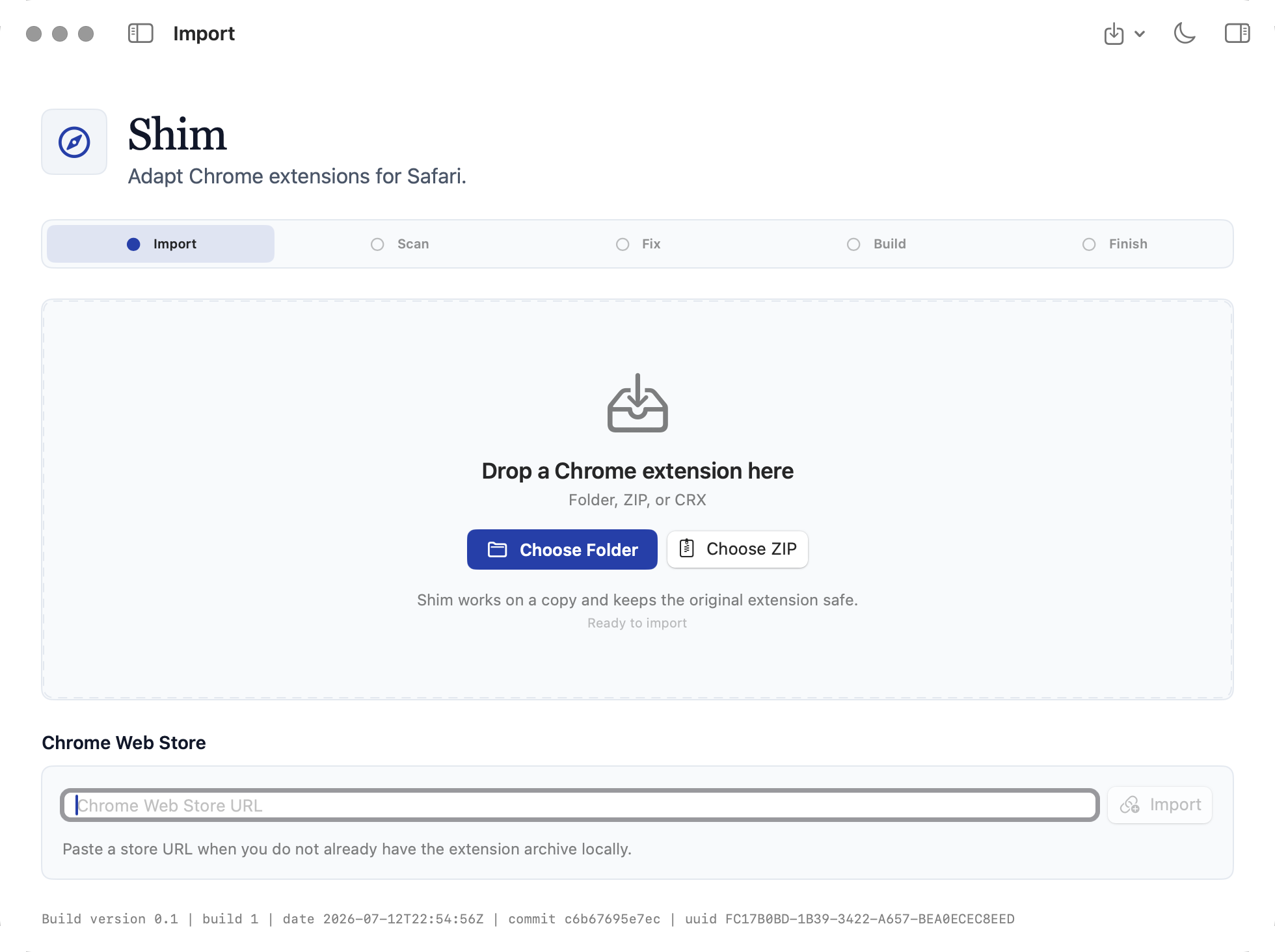
From extension to Xcode project.
Shim keeps each decision visible instead of hiding conversion behind a single progress bar.
- 1
Bring the extension
Choose a folder, ZIP, CRX, or paste a Chrome Web Store link.
- 2
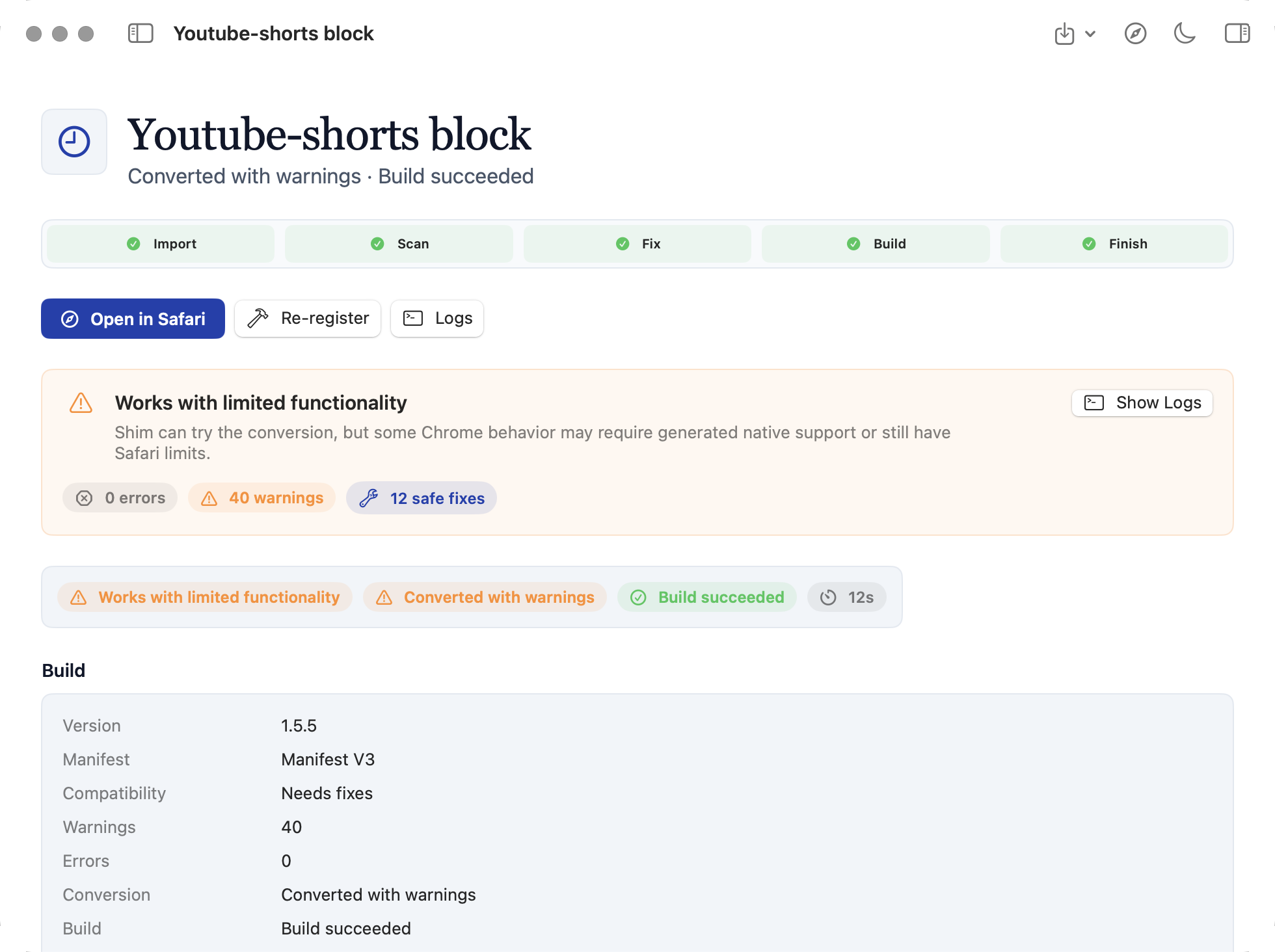
Review compatibility
See supported APIs, safe fixes, Safari limits, and remaining work.
- 3
Convert and build
Create the Safari project, apply selected fixes, and open it in Xcode.
Start with what you already have.
Shim works from a copy. Your original extension remains untouched while the conversion is prepared.
Know the limits before you build.
Compatibility is reported plainly, including APIs that Safari cannot reproduce exactly.

Local by design
Your extension stays on your Mac.
Source files, manifests, reports, and logs are not uploaded. Internet access is used for purchase, activation, periodic licence renewal, and Chrome Web Store imports.
Built for a current Mac toolchain.
Shim uses Apple’s own Safari conversion and build tools, so Xcode is part of the workflow.
- System
- macOS 14 or later
- Tools
- Xcode with Safari extension tools
- Inputs
- Folder, ZIP, CRX, or Web Store URL
- Licence
- Unlimited personal Macs
One-time purchase
Shim
$2.99
Use Shim on the Macs you personally own or control.
Loading price… Currently unnotarized. Manual approval may be required on first launch.Before you buy.
Will every Chrome extension work?
No. Safari and Chrome expose different capabilities. Shim identifies gaps and applies conservative fixes where possible.
Why is manual approval required?
The launch build is not yet notarized through Apple. The download page provides tested first-launch steps and a checksum.
Does Shim upload my code?
No. Conversion and compatibility analysis run locally. Only a requested Web Store import is downloaded.
Can I use it on two Macs?
Yes. One purchase covers the Macs you personally own or control.